Empezando
Dash le da la bienvenida a los nuevos comerciantes y admite la integración a través de un proceso de incorporación estandarizado. Es fácil comenzar a aceptar pagos en Dash y disfrutar de los siguientes beneficios:
Liquidación en segundos y acreditación en minutos
Posibilidad de aceptar pagos de cualquier mercado en todo el mundo
Transacciones irreversibles para evitar el fraude
Privacidad avanzada para clientes y comerciantes
Las comisiones más bajas de la industria
To get started with an integration in your sales system, simply select an online or point of sale payment solution from the lists below. If you are unsure, CoinPayments supports the largest range of online shop software. Anypay is an incredibly simple solution for retail stores, and also supports InstantSend. Larger integrations may require some customisation or cooperation with a specialist payment processor such as ePaymints. This documentation also describes the administrative and technical steps required to integrate various Dash services.
Any Dash received in payment can be automatically converted to the fiat currency of your choice using services such as Uphold. Simply select the card for the target currency and click Add funds -> With cryptocurrency. Any cryptocurrency deposited to this address will immediately be converted to the target fiat currency at the time of deposit.
Muchos grandes comercios aceptan Dash - revise Bitrefill o CheapAir para ejemplos de lo que la integración comercial puede parecer. Una vez que esta listo y aceptando Dash, considere agregar su negocio al directorio Discover Dash para incrementar su visibilidad.
Procesadores de pago
Esta sección enumera procesadores de pago conocidos que admiten Dash y las plataformas de negocio que admiten. Realiza una investigación exhaustiva antes de elegir un proveedor de pagos para garantizar que se cumplan tus necesidades.
- alt thirty six

Alt Thirty Six allows any business (including those involved in cannabis) to accept digital payments at the point of sale and online using Dash or USD.
- Anypay

Anypay offers easy, professional tools for retail, as well as Dash rewards for users shopping at your store. Anypay is enjoys broad support from the Dash community, works to bring you new customers and is cheap and easy to set up.
- BTCPay Server
BTCPay Server is a free, self-hosted and fully open-source cryptocurrency payment processor designed with security, privacy and censorship-resistance at its core.
- CDPay

CDPay offers API to accept Dash on your website, as well as an automated fiat exchange service to convert the payments you receive to EUR or CZK.
- Coinify

Coinify offers a variety of two-way virtual currency services tailored to businesses and customers of different sizes and needs. A simple, secure and compliant solution that allows you to accept virtual currencies without having to hold any currencies yourself, and get payouts in your preferred local currencies.
- CoinPayments

CoinPayments is an integrated payment gateway with a wide range of plugins available for popular webcarts, as well as fiat settlement in the US and Europe.
- Coinremitter

Coinremitter is a secure and reliable payment gateway with no monthly fees. Features include built-in exchange, automatic withdrawals and no ID or bank account required.
- CoinsPaid

Coinspaid offers a white label backoffice payments solution with on-the-fly Fiat (EUR) conversion and instant transaction confirmations.
- CopPay

CopPay allows you to accept Dash and receive EUR, GBP and USD, eliminating volatility risks. CopPay is absolutely free with 0% transaction fee for merchants.
- EletroPay

EletroPay is a hardware point of sale device with an ePaper display and built-in receipt printer designed to bring businesses into the digital economy in style.
- ePaymints

ePaymints specializes in highly customized payment processing for high risk merchant accounts in industries challenged with high levels of chargebacks.
- GB CAS

https://www.generalbytes.com/en/products/cas-server
Take the professional approach and start accepting Dash with a dedicated CortexPay terminal and GB CAS. This software can also be used to sell Dash to clients visiting your location.
- GoURL

GoURL offers a range of plugins and APIs to accept Dash online. White label solutions to process payments with your logo and on your server are also available.
- iQCashNow

iQCashNow offers ATMs and mobile POS terminal systems that combine traditional payment methods and crypto-payments into a unique complete package of software, hardware and services.
- NOWPayments

NOWPayments is an easy way to accept cryptocurrency payments with native integration into your platform or a neat widget. Auto coin conversion keeps you safe from any dramatic rate fluctuations.
- Paytomat

Paytomat provides software for integration into existing merchant systems without the need to purchase additional hardware or install third-party software.
- PumaPay

PumaPay provides a fast, efficient and inexpensive alternative to credit cards to empower your digital customer. We provide the all the tools enabling you to start accepting cryptopayments today.
- QR.cr

QR.cr is a popular and well-supported dynamic QR code system designed to provide multilingual content and payment services for businesses via mobile friendly landing pages.
- Salamantex

The Salamantex crypto payment service is available as a hardware terminal or software for installation on existing POS systems or mobile devices.
- Spark

Spark is simple, 100% open source software for accepting Dash payments. Designed from the ground up to be familiar and with wide community support, all keys and funds remain in your control at all times.
- VegaPay

https://vegapay.vegawallet.com/
VegaPay provides the perfect way to prepare your business for the future. Start accepting cryptocurrency payments to reduce costs and improve customer conversion rates with the full Point of Sale or other business solutions.
- Xpay

Xpay is a popular point of sale device in Venezuela and Colombia, allowing you to quickly accept Dash using QR codes.
Ejemplos de instalación
Esta sección contiene ejemplos detallados de cómo instalar, configurar y procesar tu primer pago utilizando los procesadores de pago detallados en esta documentación.
WooCommerce y CoinPayments.net
If your online store is built on WooCommerce, you can simply install CoinPayments as an additional payment gateway and immediately begin accepting Dash. This guide assumes you have already installed Wordpress, installed WooCommerce and created at least one product in your store. A video of the process to install the CoinPayments payment processor is also available.
In your WordPress administration backend, select Plugins -> Add New and type «coinpayments.net» into the search box. A plugin named CoinPayments.net Payment Gateway for WooCommerce should appear. Click Install Now to install the plugin. Alternatively, you can download the plugin from the WordPress website as a zip file and upload it using the Upload Plugin button. Once the plugin is installed, click Activate to begin configuration.
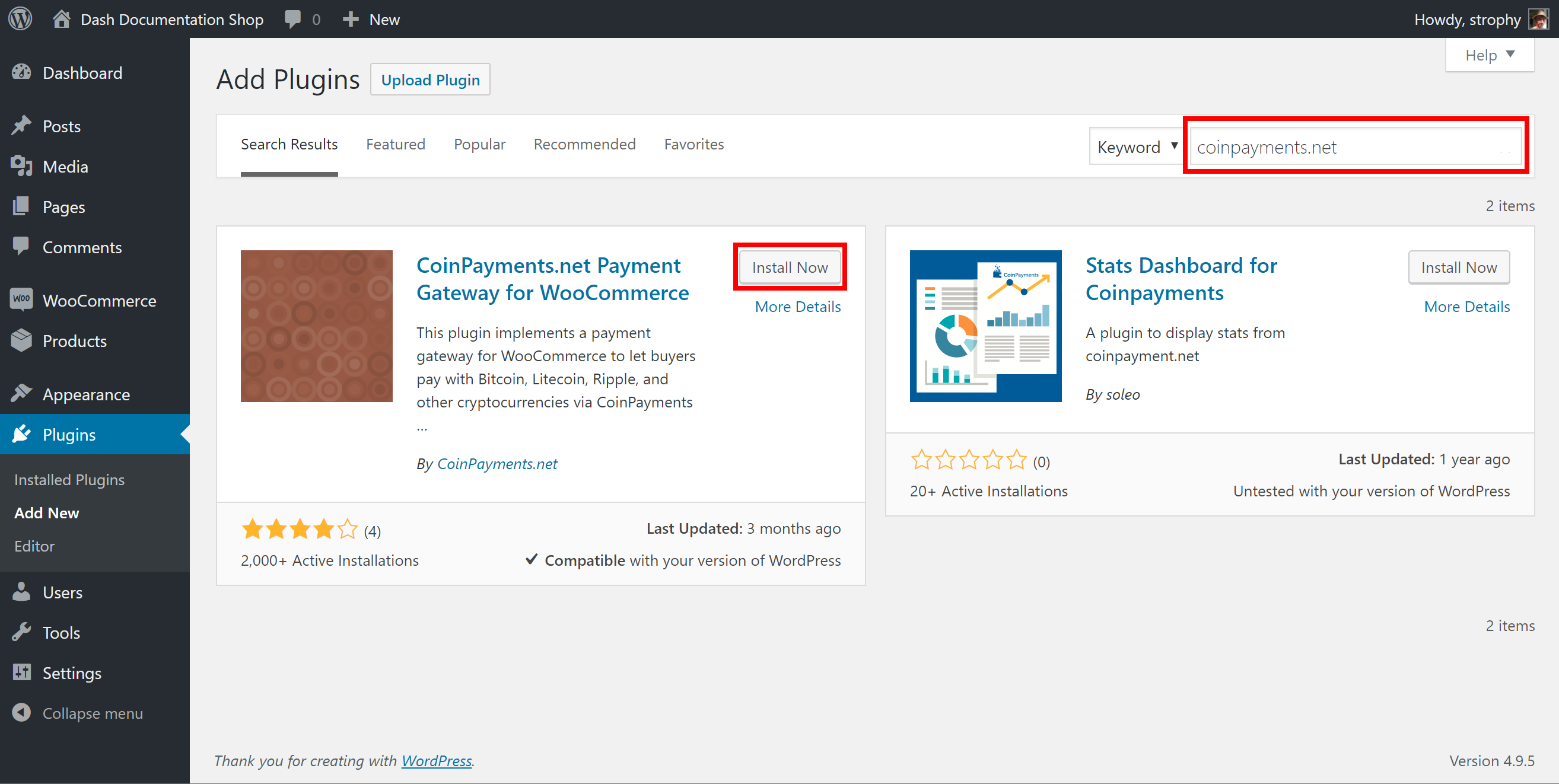
Instalación del complemento de WooCommerce en CoinPayments.net
A continuación, ve a CoinPayments.net y regístrate <https://www.coinpayments.net/register> _ para crear una cuenta. Una vez que hayas iniciado sesión, ve a Cuenta -> Configuración de aceptación de moneda y habilita Dash, así como, opcionalmente, ingresa una dirección de retiro. A continuación, ve a Cuenta -> Configuración de cuenta y copia Tu ID de comerciante del área Configuración básica en un archivo de texto. Luego ve a la sección Configuración de comerciante e ingresa una serie larga y aleatoria de caracteres para el IPN Secreto. Copia este código en su archivo temporal también.
De vuelta en la sección de complementos de WordPress, haz click en el botón Configuración para el complemento de WooCommerce y ve a la sección Pago -> CoinPayments.net. Asegúrate de que el complemento de CoinPayments esté habilitado aquí, luego ingresa el Documento de identificación de comerciante, IPN Secreto y Descripción en los campos correspondientes como se muestra a continuación. Haz click en Guardar cambios cuando estés listo.
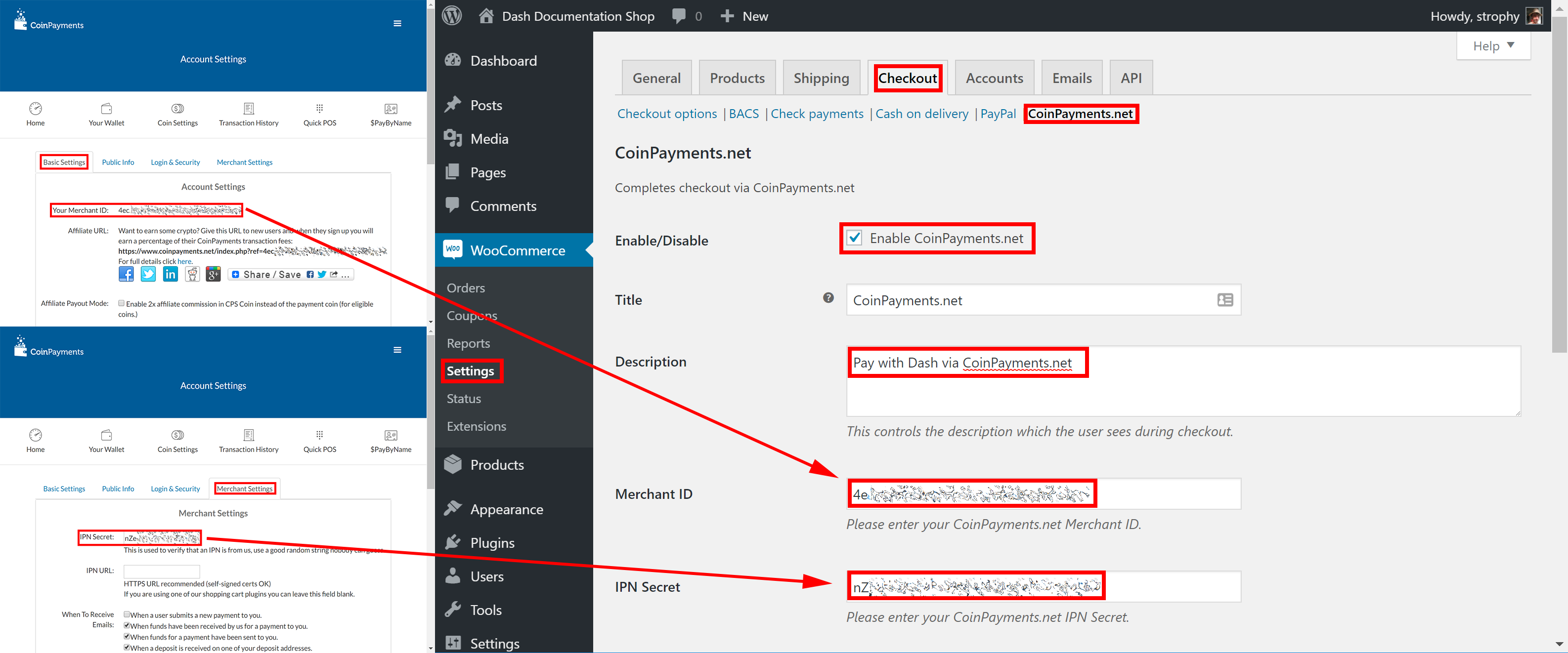
Configurar el complemento WooCommerce en CoinPayments.net
Tus clientes ahora verán una opción para pagar con Dash al completar el proceso de pago de un pedido. El pago será procesado por CoinPayments.net, y recibirás correos electrónicos detallando cada procedimiento de compra. Puedes elegir la frecuencia con la que deseas retirar tus pagos, a qué dirección de Dash y a otras opciones en la sección de administración de CoinPayments. Ver la documentación de CoinPayments o Herramientas de comercios para más información.
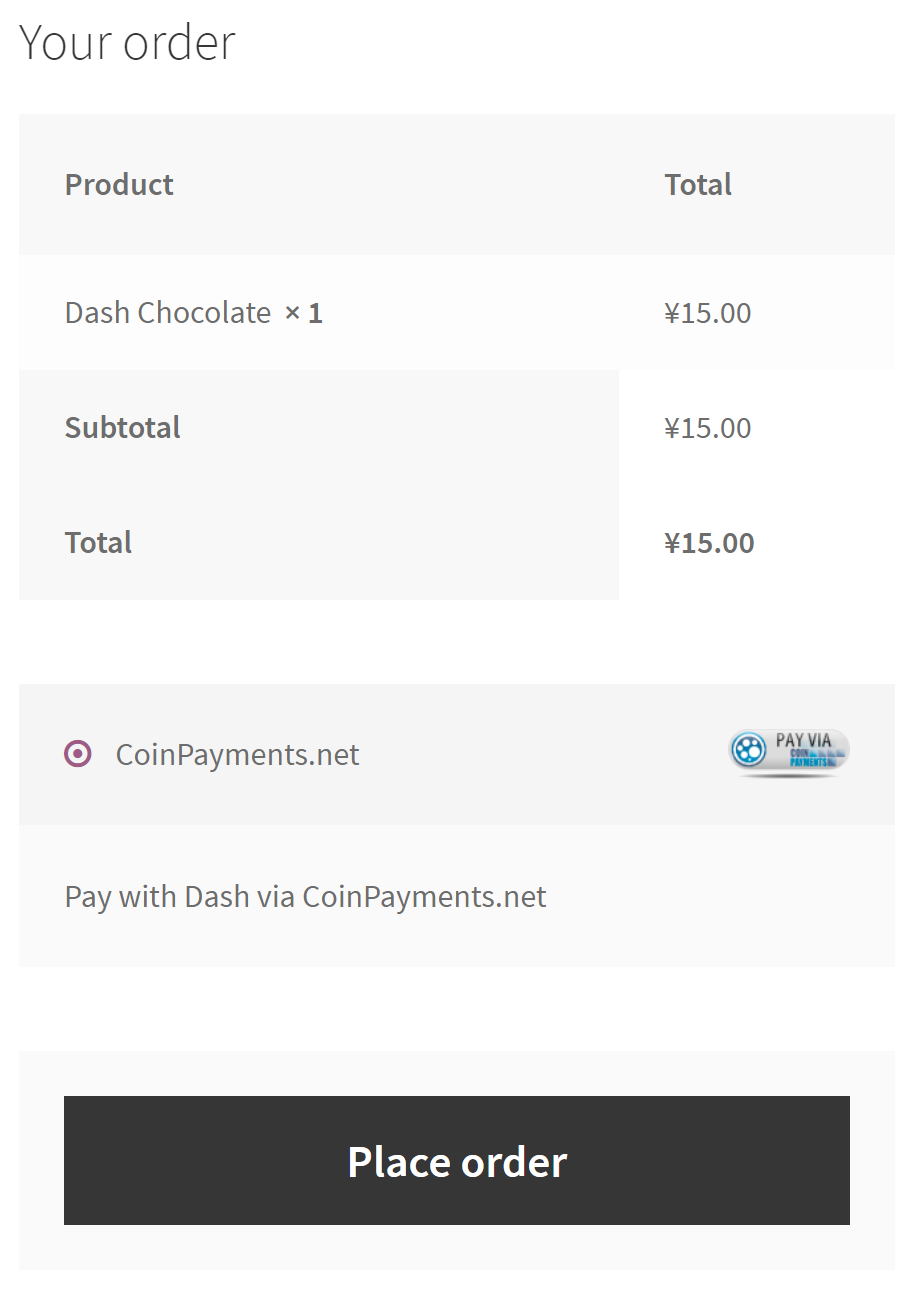
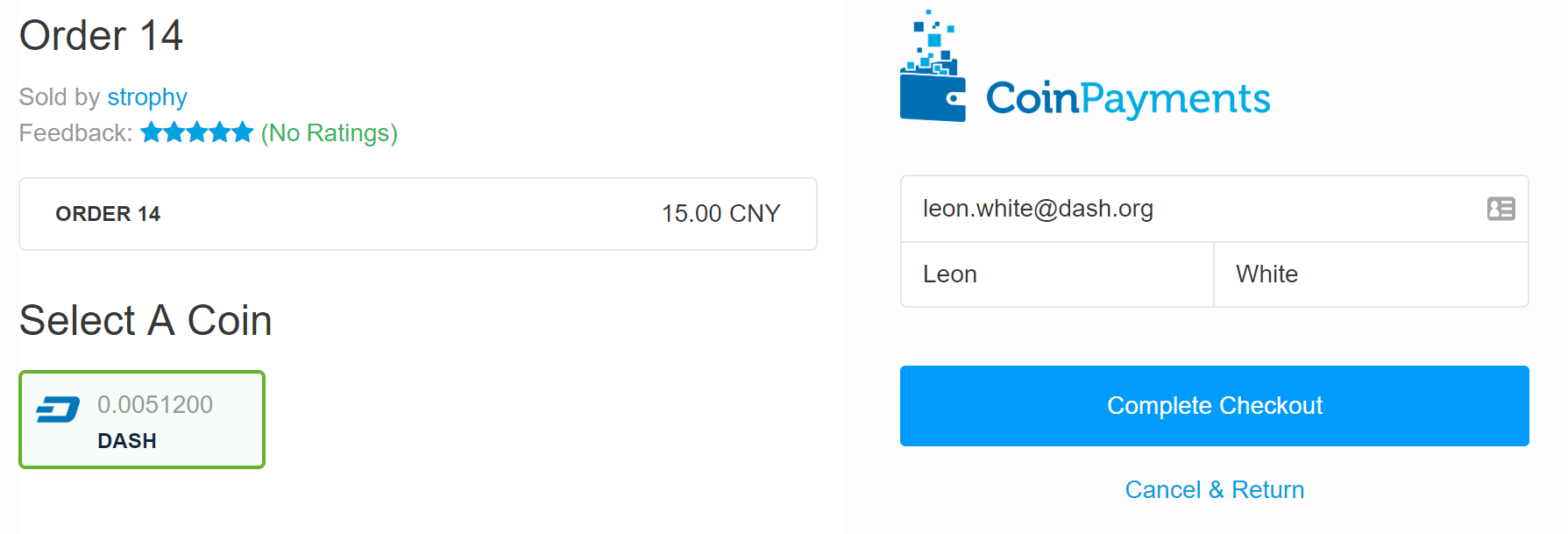
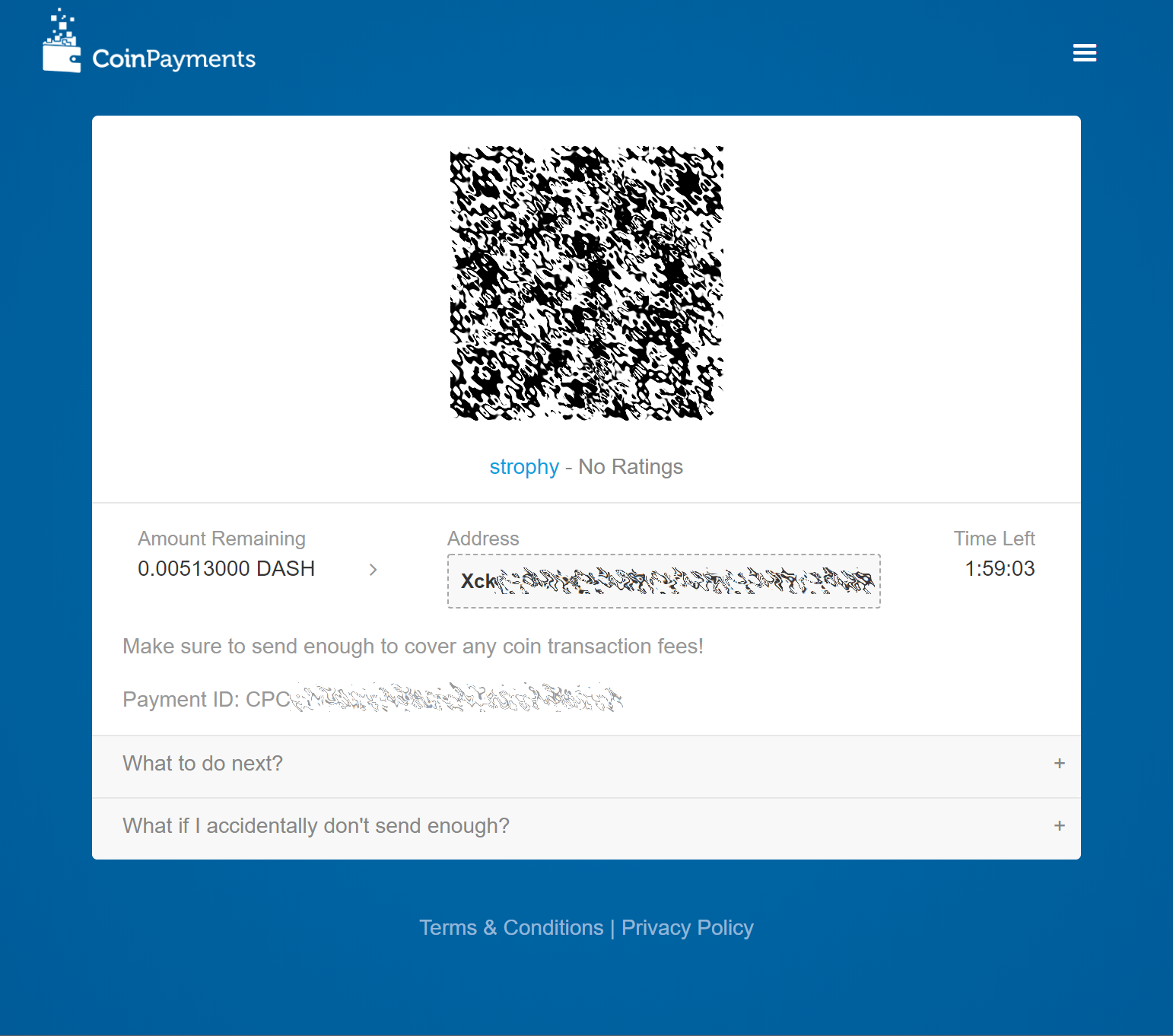
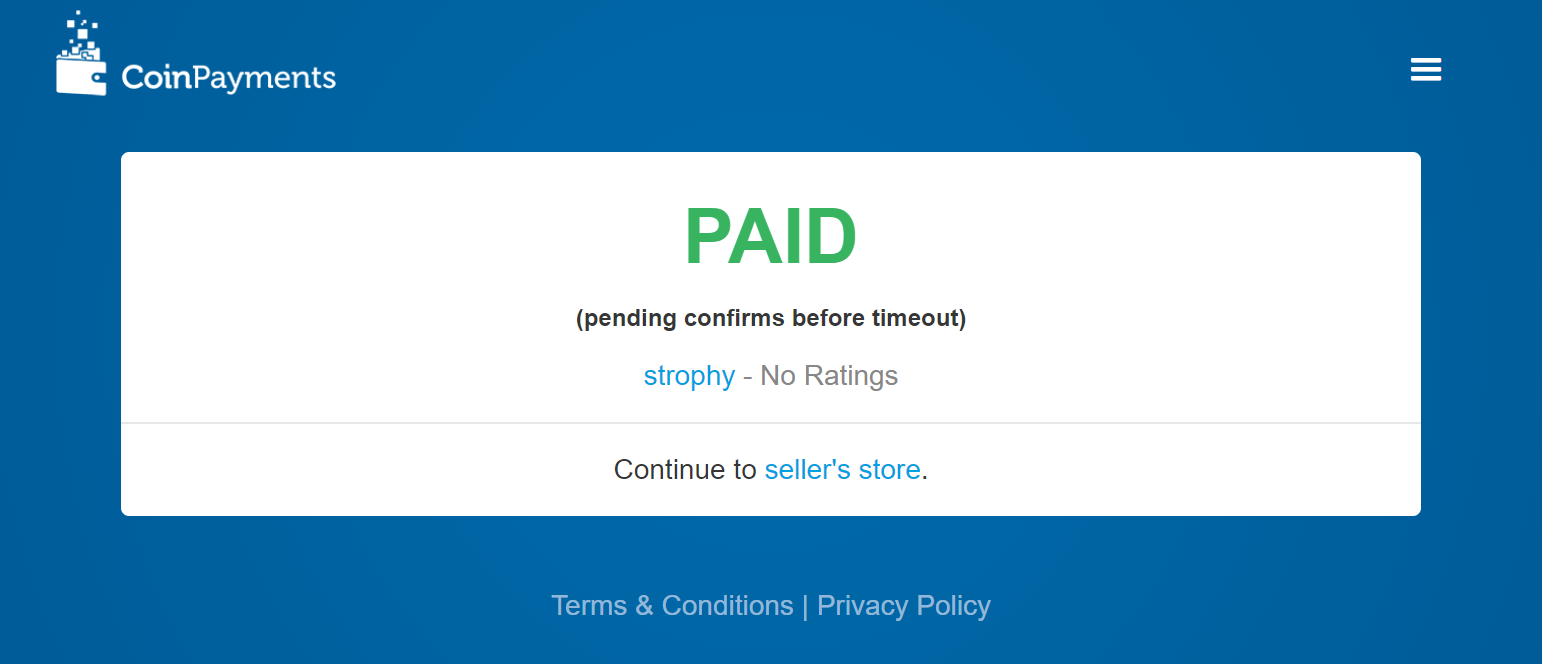
Completar el pago a través del procesador de pagos de CoinPayments.net
Punto de venta con Anypay
Anypay.global allows you to quickly start accepting point-of-sale payments in Dash at a physical store. The service functions as a simple website that you load on any internet- connected and touch-enabled device, such as a smartphone or tablet.
Comienza registrando una cuenta con Anypay. Se te pedirá que especifiques una dirección de correo electrónico y una contraseña. Una vez que hayas iniciado sesión, debes agregar una dirección de retiro de pago de Dash.
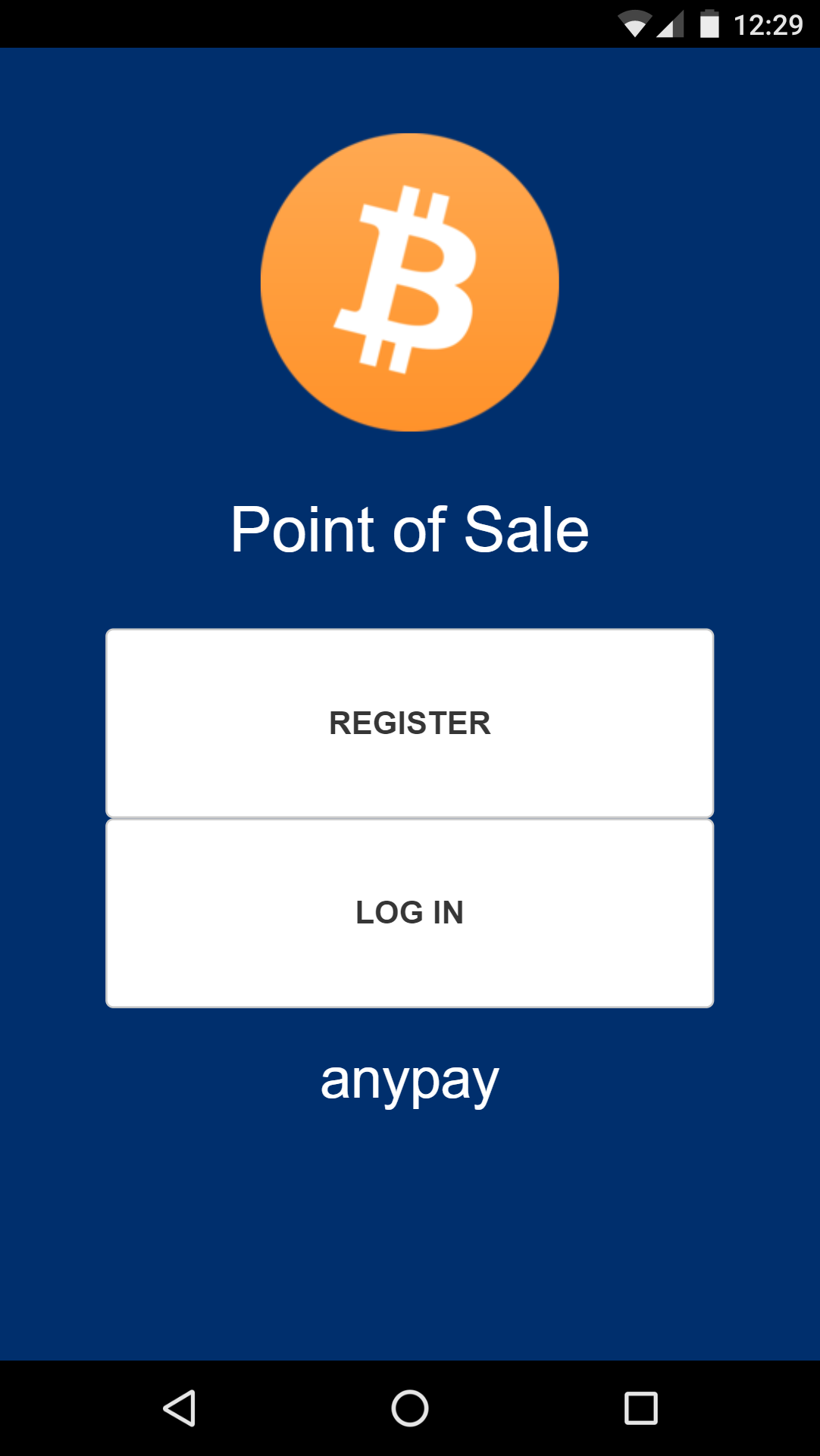
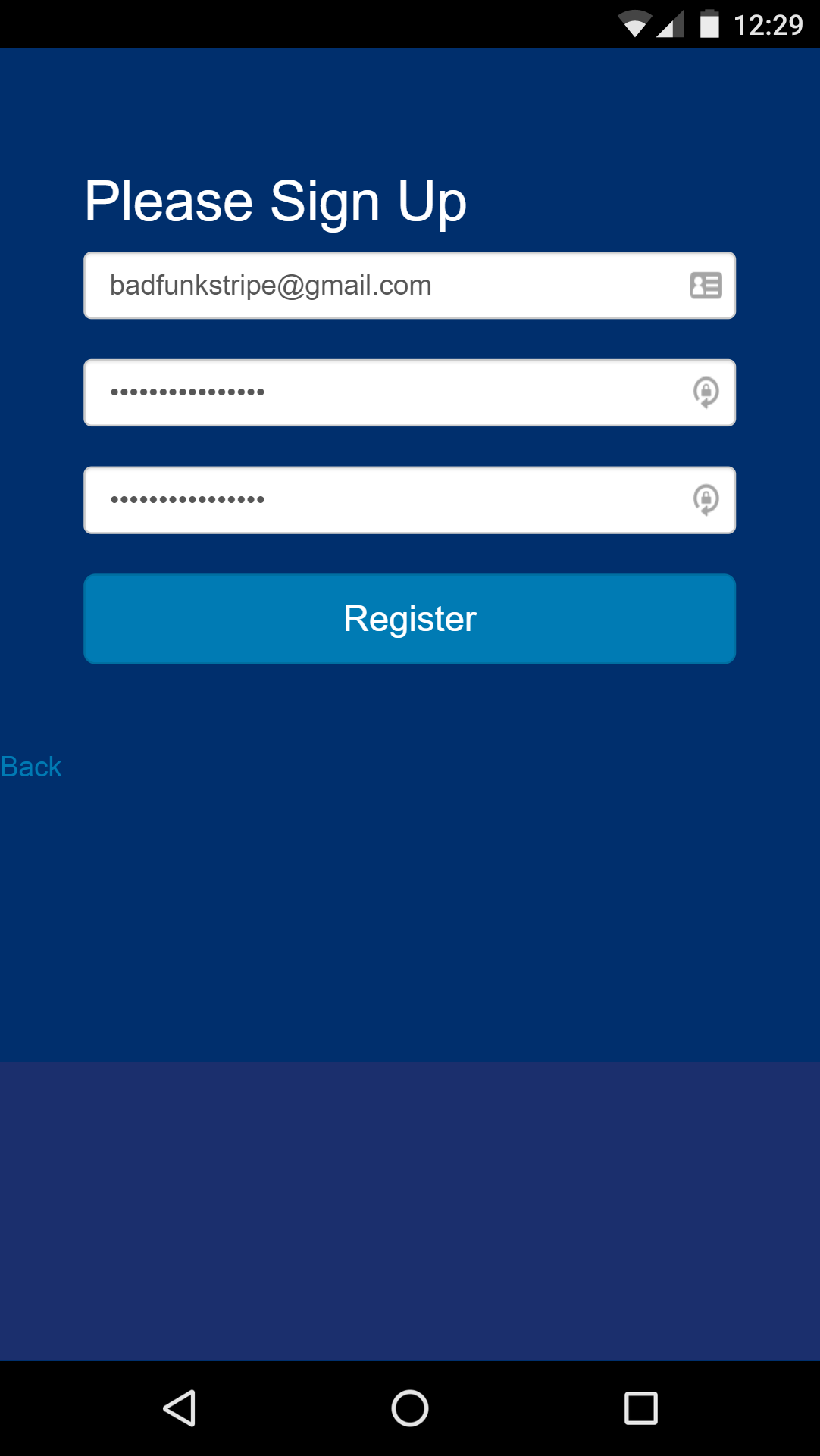
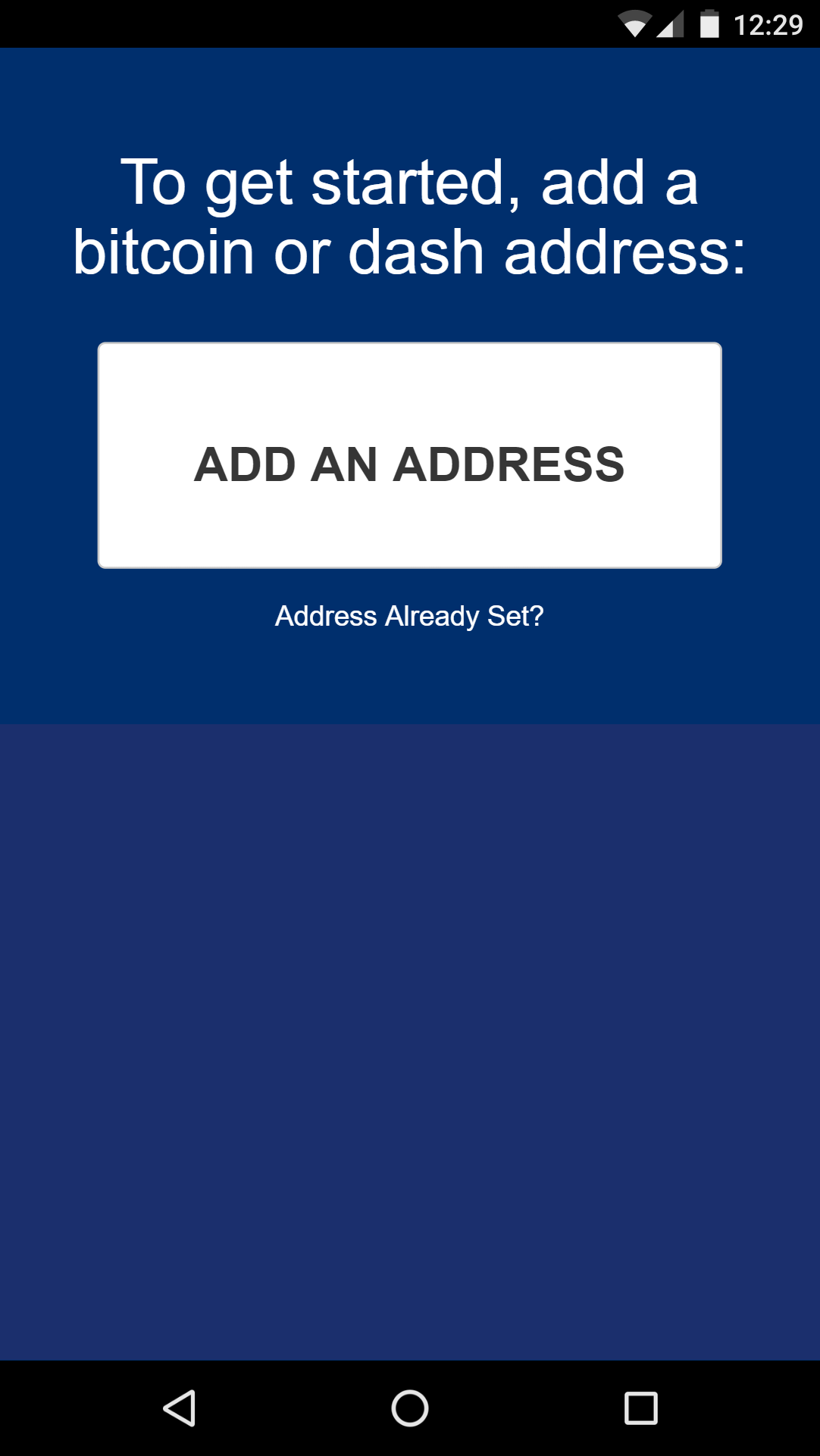
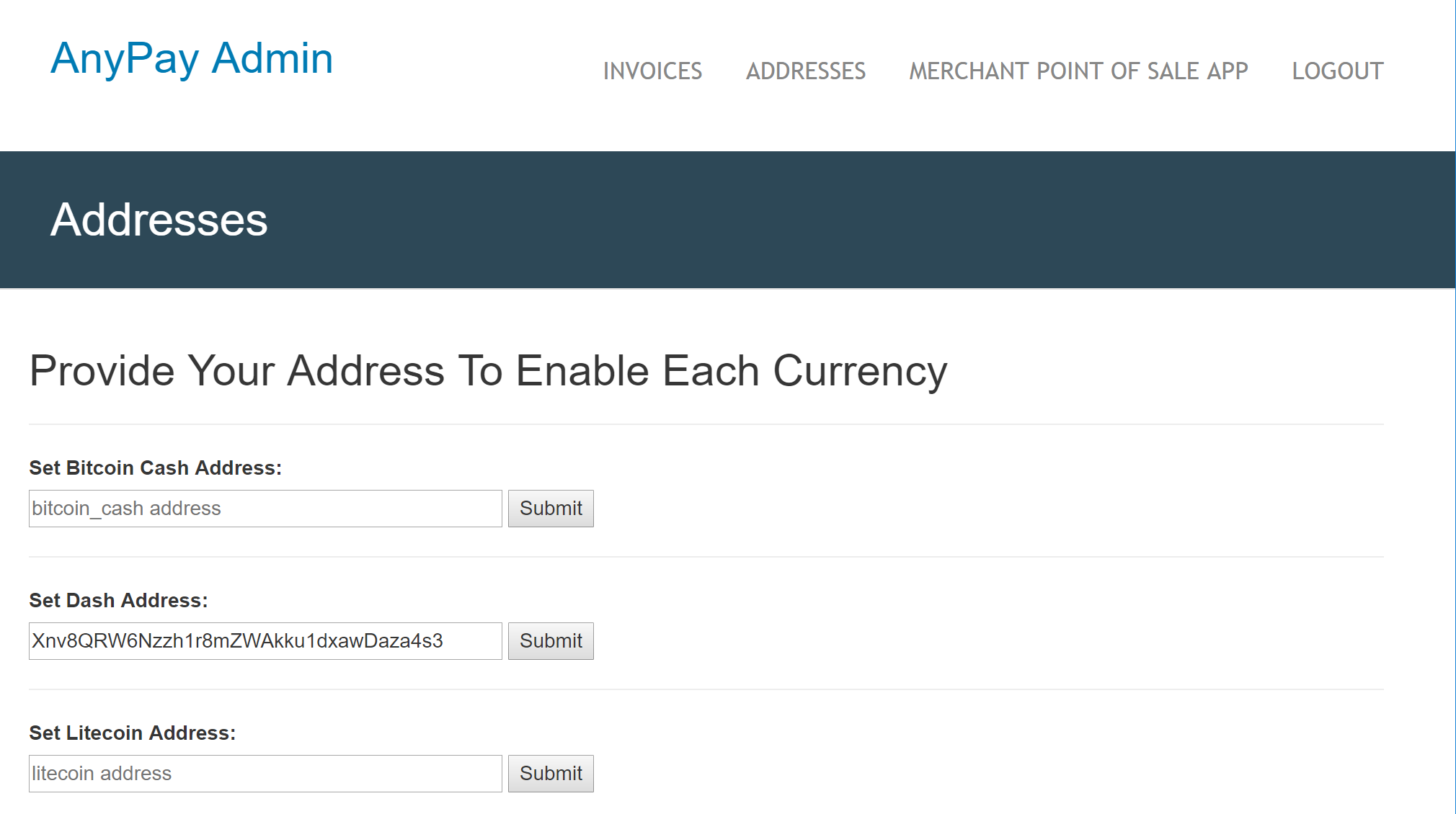
Configurar Anypay
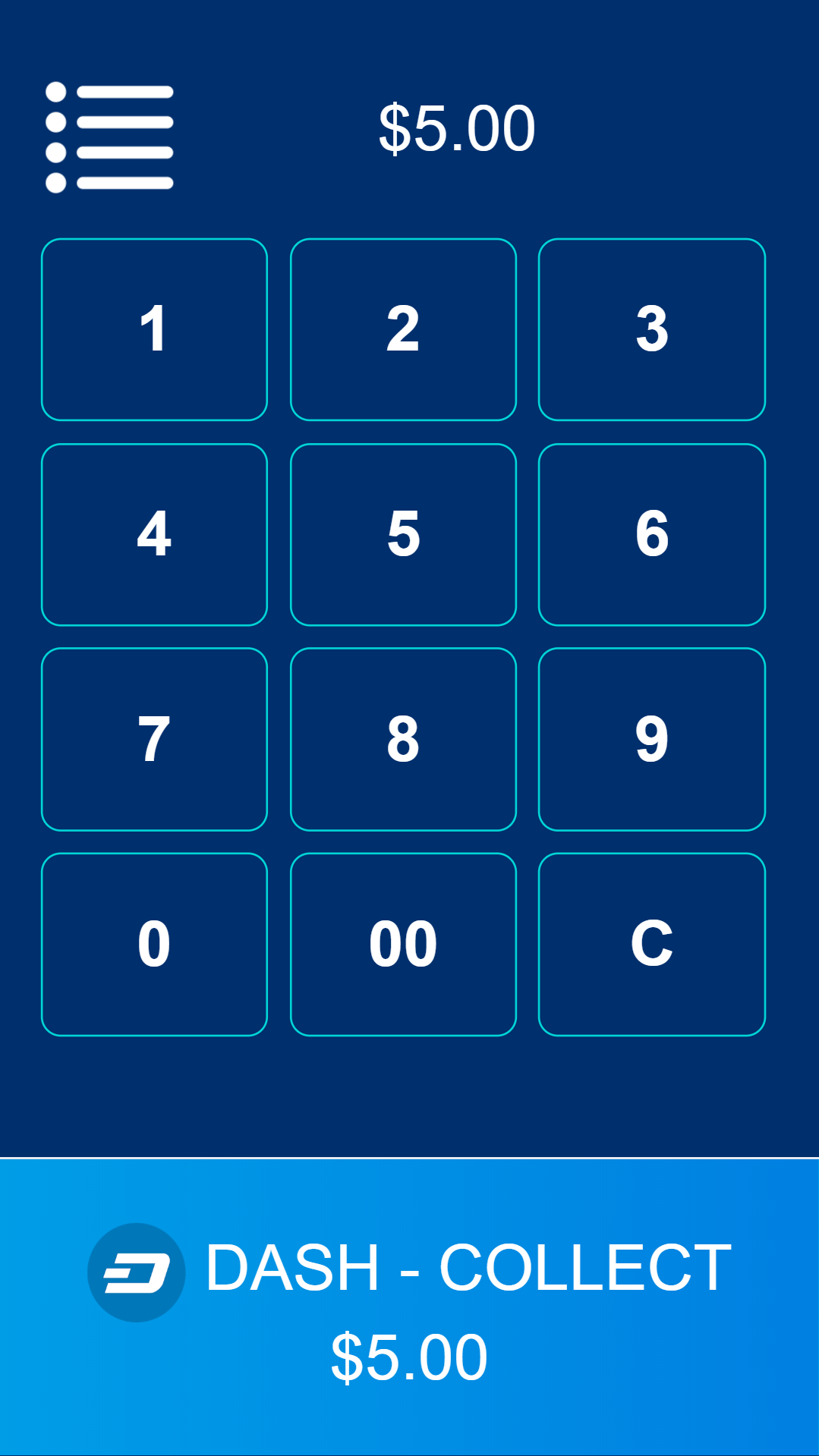
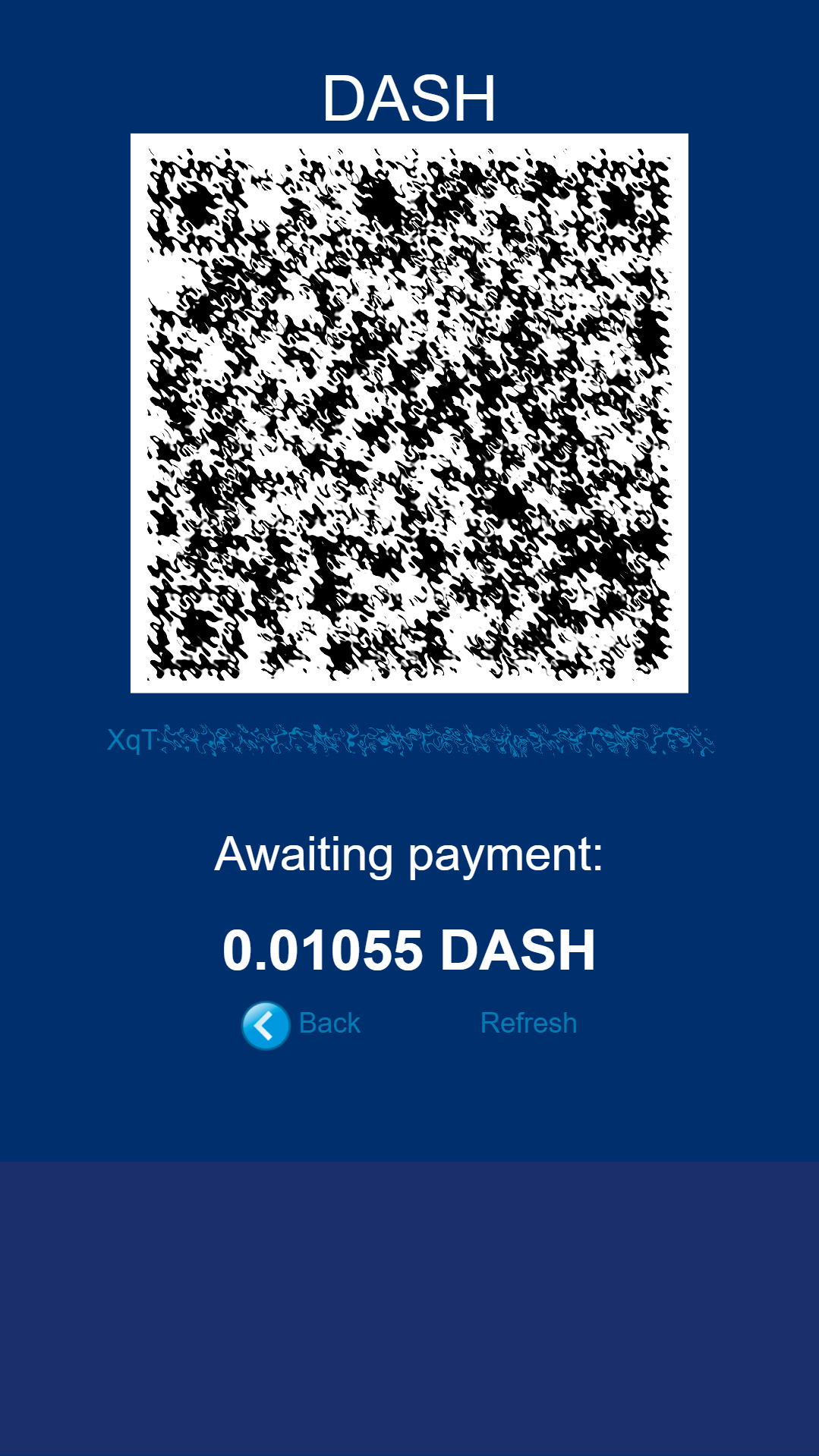
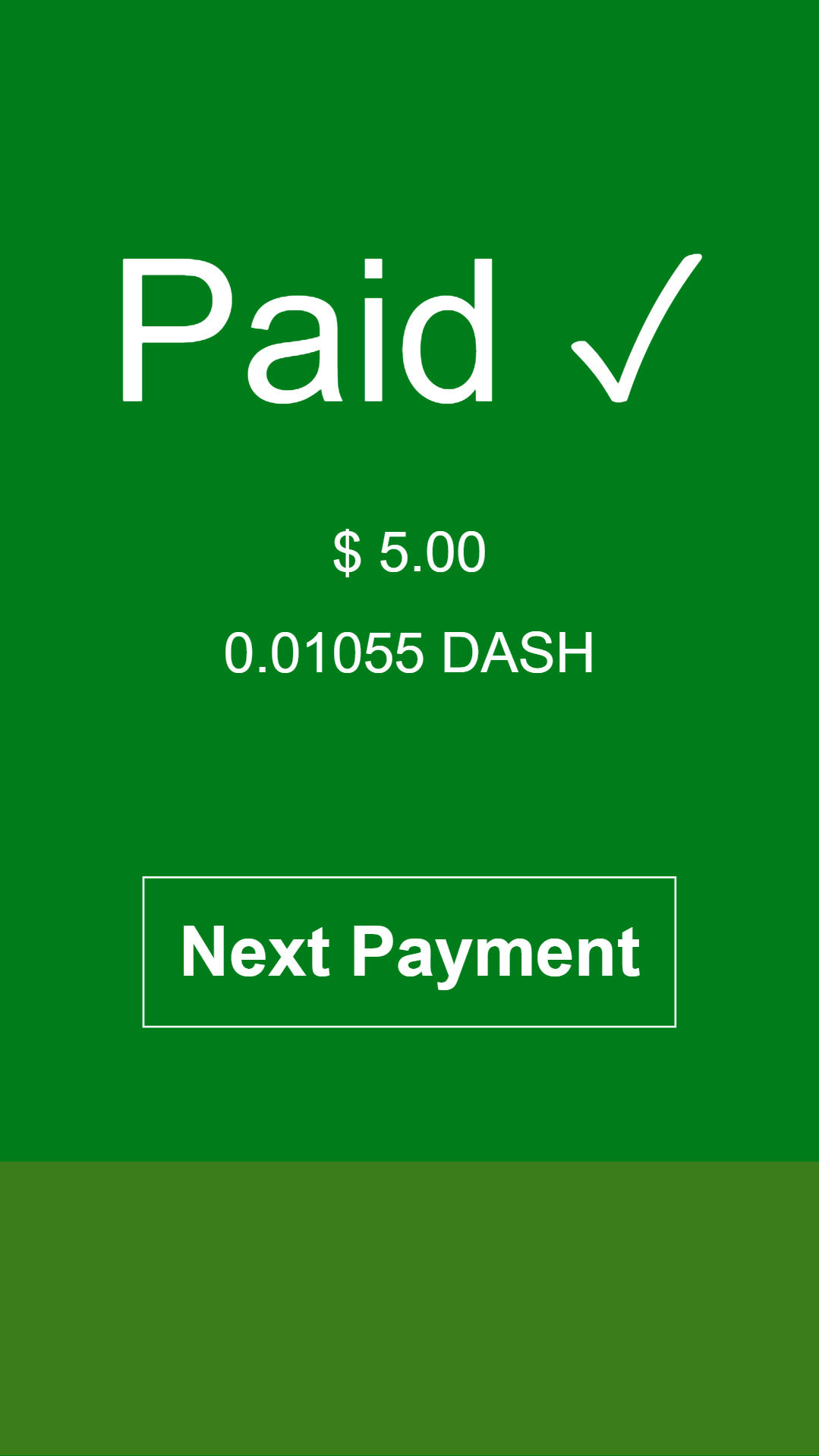
Once this has been set up, you can begin processing payments immediately. Simply log in to https://app.anypayinc.com or tap Merchant Point of Sale App in the admin area using your device. A keypad will appear. Enter the invoice amount in USD or DASH and press the COLLECT button at the bottom of the screen. The app will generate a QR code for your customer to scan. Once payment is complete, you will be able to create a new invoice by tapping Next Payment, or view the status of your invoices by tapping the menu button in the top left corner of the keypad, or checking the Invoices section of the administration backend. Withdrawals are processed to the address you specified shortly after payment is complete.
Punto de Venta con Spark
Spark Payments allows you to quickly start accepting point-of-sale payments in Dash at a physical store. The system works as an app, and is available for Android, macOS, Windows and Linux, with an iOS progressive web app (PWA) in development.
El proyecto es una aplicación de terminal externo para procesar pagos en Dash en tiendas de ladrillo y mortero. Los comercios escriben el monto de la venta en su divisa local (94 divisas soportadas), la aplicación generará un código QR de venta para la cantidad de Dash para que el cliente lo escanee. Entonces el terminal proveera una respuesta del estatus del pago (recibido, tiempo agotado, parcial, instantsend o regular), y si se configura, la conversion fiat a traves de uphold.com. Una guia de como configurar Spark con Uphold para convertir el pago a moneda fiat esta disponible en English y German.
Para usar Spark, abra la aplicación en su dispositivo. Si es la primera vez que usa la aplicación, necesitará especificar una dirección Dash para recibir pagos del sistema, así como su moneda fiat seleccionada. Puede cambiar esta información en cualquier momento desde el menú. Para generar una factura de pago, ingrese el monto en moneda fiat. Spark generara un código QR, y la aplicación mostrara una indicación visual cuando el pago este completo.
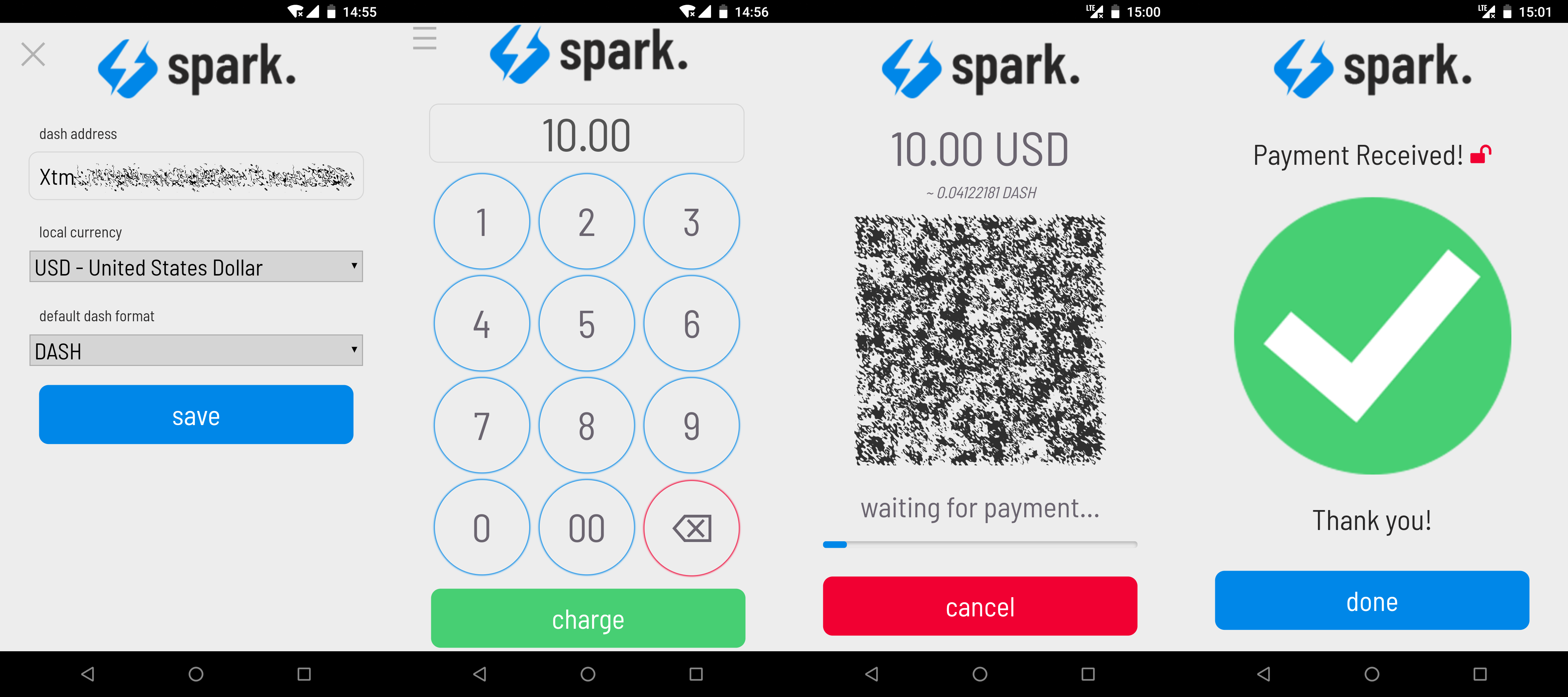
Configurando y recibiendo pagos usando Spark Payments
Sistemas de pago como Anypay y Spark pueden ser integrados con su terminal y/o programa de contabilidad existente (como Square Register, registrando las facturas de compra en Dash como Otro Tipo de Pago en el sistema. Esto le permite hacer seguimiento de sus ingresos en Dash tan fácil como si estuviera aceptando efectivo.